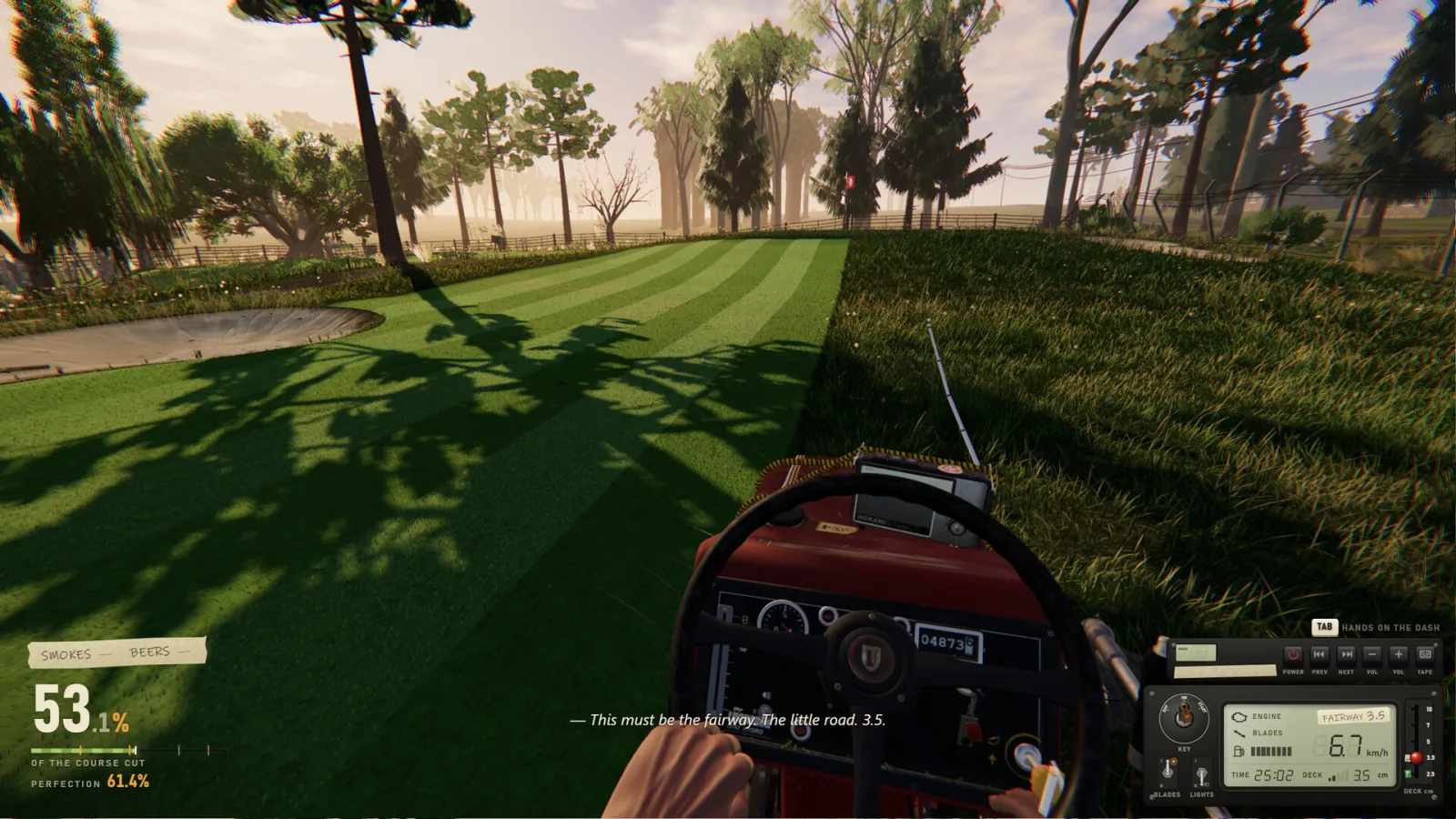
How the radio works in game
The radio starts off by default, so the first thing to know is where to switch it on: the mower's physical dashboard. The controls guide describes the dashboard in detail — the hold-to-start ignition key, blade switch, deck-height lever, lights and fuel gauge all sit alongside the radio controls. Once the radio is on you can cycle through stations and tracks while you mow. This is a diegetic radio, meaning the controls live on the vehicle you are driving rather than in a separate pause menu.
A detail that surprises new players is that you are not limited to the built-in stations. You can load your own audio files into the tractor radio. Since patch 1.0.2 a single custom track can be up to thirty minutes long. There is also a Shared Music setting: when enabled, friends in your co-op session can hear the music you play. If you would rather not broadcast your playlist, Streamer Mode blocks shared music so your stream or recording keeps the audio you intend.
Licensing and using the soundtrack
One of the reasons the radio has become a fixture of One More Lawn clips is the developer's clear stance on rights. Superdou has stated that all in-game radio music is theirs, generated with Suno AI under a commercial licence, and free to use in streams and videos — including monetised content. The developer also states the music is not in YouTube Content ID, which is why creators can use it without automated claims.
That permission covers the official soundtrack. Music you load yourself is your own responsibility; if you add copyrighted songs to the radio and share them or stream them, normal platform rules still apply. This guide reproduces official statements and links to the original sources so you can verify the current position before publishing a video. We store no lyrics and host no audio files on this site.
Sources and where to go next
Every fact on this page is traceable to an official source — the Steam store listing, Steam News, the Steam Workshop API or the developer's own channels — and was last checked on 2026-11-20. Our full editorial standards and the complete primary-source list are documented on our about and data-sources pages. The links below continue this topic from a different angle.
- https://store.steampowered.com/app/5378110/One_More_Lawn/
- https://www.youtube.com/@Superdoudev
- All songs: /music/songs
- Official playlists: /music/playlists
- Controls guide: /guides/controls
- /about
- /about/data-sources
Frequently asked questions
Why can't I hear the radio?
The radio starts off. Switch it on from the mower's physical dashboard using the radio controls.
How long can my own songs be?
Since patch 1.0.2, a custom track can be up to thirty minutes long.
What is Streamer Mode?
It blocks shared music so friends in your session cannot overlay their tracks onto your stream or recording.
Can I monetise videos using the soundtrack?
The developer states the in-game radio music is free to use in streams and videos, including monetised, and is not in Content ID. Verify the current statement via the official sources.